Free seating plan maker for teachers
Lay out your classroom exactly as it is, drop your class onto the desks and put the plan up on the board. Every change saves as you go.
No install · sign in with Google Classroom or a teacher code
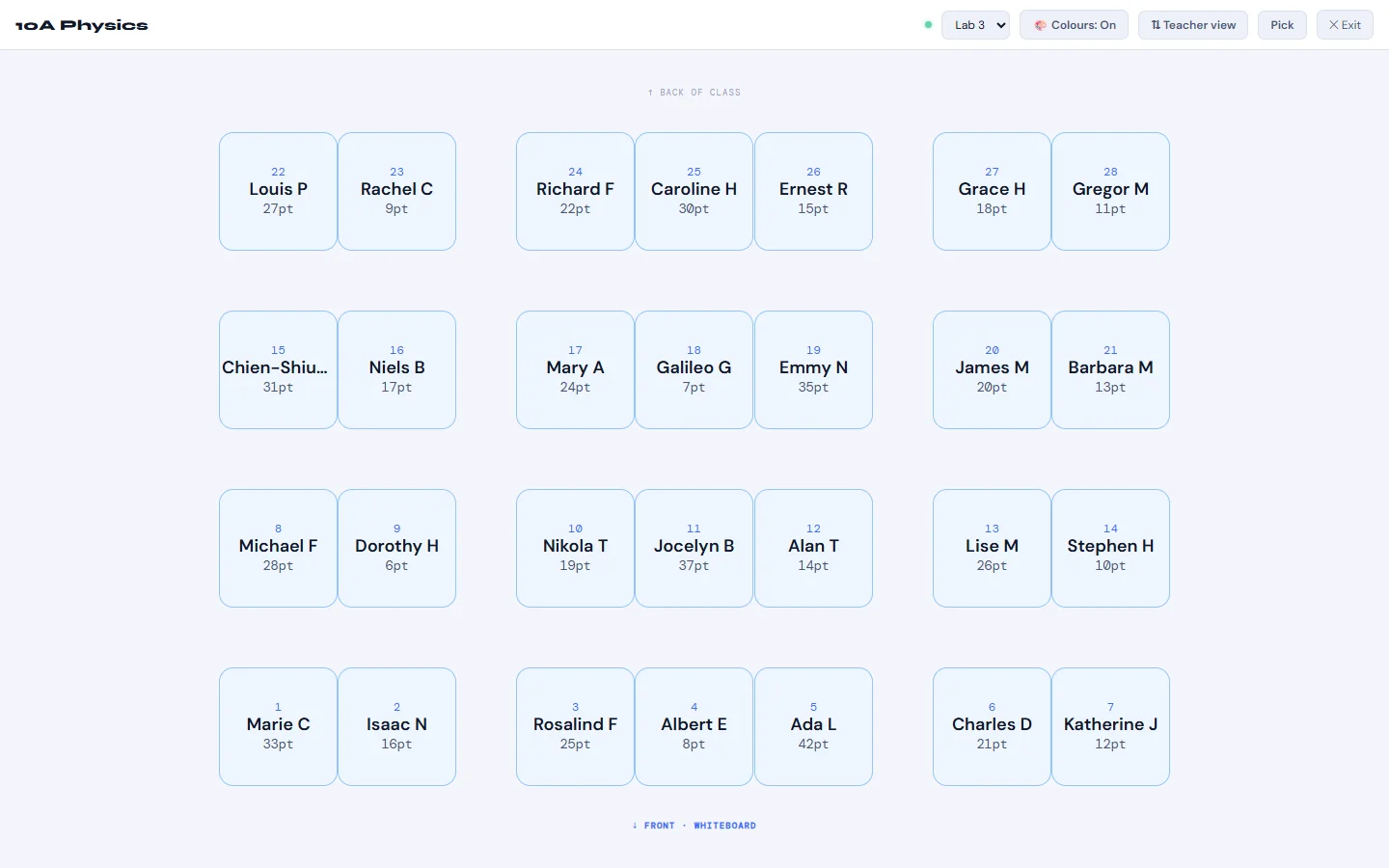
Everything a seating plan needs
Built for real classrooms with odd-shaped rooms, cover lessons and pupils who need moving mid-term.
Draw your real room
Drag desks anywhere, snap them to a grid and resize the room to fit. You aren't stuck with a fixed rows-and-columns template.
Place pupils with a tap
Tap a name, then tap a desk, or let Auto-Place fill the empty desks for you. It keeps Keep Apart pairs off neighbouring desks and seats Keep Together pairs side by side.
Teacher or pupil view
Flip the plan so the board is at the bottom, as you see the room, or at the top, as the class sees it.
Project it full screen
Full Screen mode puts the whole plan on the board so everyone can find their seat at the start of the lesson.
Print a copy
Print the plan for a cover teacher, the department folder or your planner.
Pupil codes at a glance
Turn Colours on to see codes such as SEN, Medical and EAL on each desk, so support needs are visible when you plan where pupils sit.
How it works
Add your class
Import your class list from Google Classroom, or paste the names, one per line.
Build your layout
Draw the room once and reuse it for every class you teach there. Desks are numbered front to back automatically.
Seat, project, print
Place your pupils, then put the plan on the board or print it. It saves automatically.
One seating plan, used across Kredits
Desk numbers match the numbers on the printable Kredits QR cards, so you can stick card 12 on desk 12 and leave it there all year.
Other Kredits tools also use your seating plan. The random name picker can sweep across the desks or pick two pupils who sit side by side, and the group generator can avoid putting desk neighbours in the same group.
Questions teachers ask
Is the seating plan maker free?
Yes. Seating is one of five free Kredits tools, along with Picker, Grouper, Scoreboard and Timer. There is no trial period and no card details to enter.
Do I need Google Classroom?
No. Google Classroom makes importing class lists quicker, but you can also sign in with a Kredits teacher code and PIN and paste your class list in.
Can I use one room layout for several classes?
Yes. Layouts are saved separately from classes, so you draw a room once and choose that layout for every class you teach in it.
Can it keep certain pupils apart?
Yes. Set Keep Apart and Keep Together pairs in the Class Editor. When you press Auto-Place, Seating keeps Keep Apart pairs off neighbouring desks (diagonals included) and seats Keep Together pairs side by side or one behind the other. Pupils you have already seated stay where they are, and if a pair can't be met Seating tells you, so you can move them by hand.
Does it work on an interactive whiteboard or tablet?
Yes. Kredits runs in the web browser, so it works on a laptop, Chromebook, tablet or classroom board with nothing to install.
What pupil data does it need?
A seating plan only needs your pupils' names. How Kredits stores and protects class data is set out in the privacy policy.
More free Kredits tools
Set up a class once and use it in every tool.