A classroom points system with QR cards
Scan a pupil's QR card as you walk round the room, or tap their desk on the seating plan from your own desk. Then project a live leaderboard the class will actually want to look at.
No install · sign in with Google Classroom or a teacher code
Rewards without the admin
Giving points should take a second, wherever you are in the room.
Printable QR cards
Print a set of numbered Kredits cards. Stick one on each desk and it lines up with your seating plan.
Scan to award
Walking round the room? Point a phone, tablet or laptop camera at a pupil's card to give them a point.
Tap the seating plan
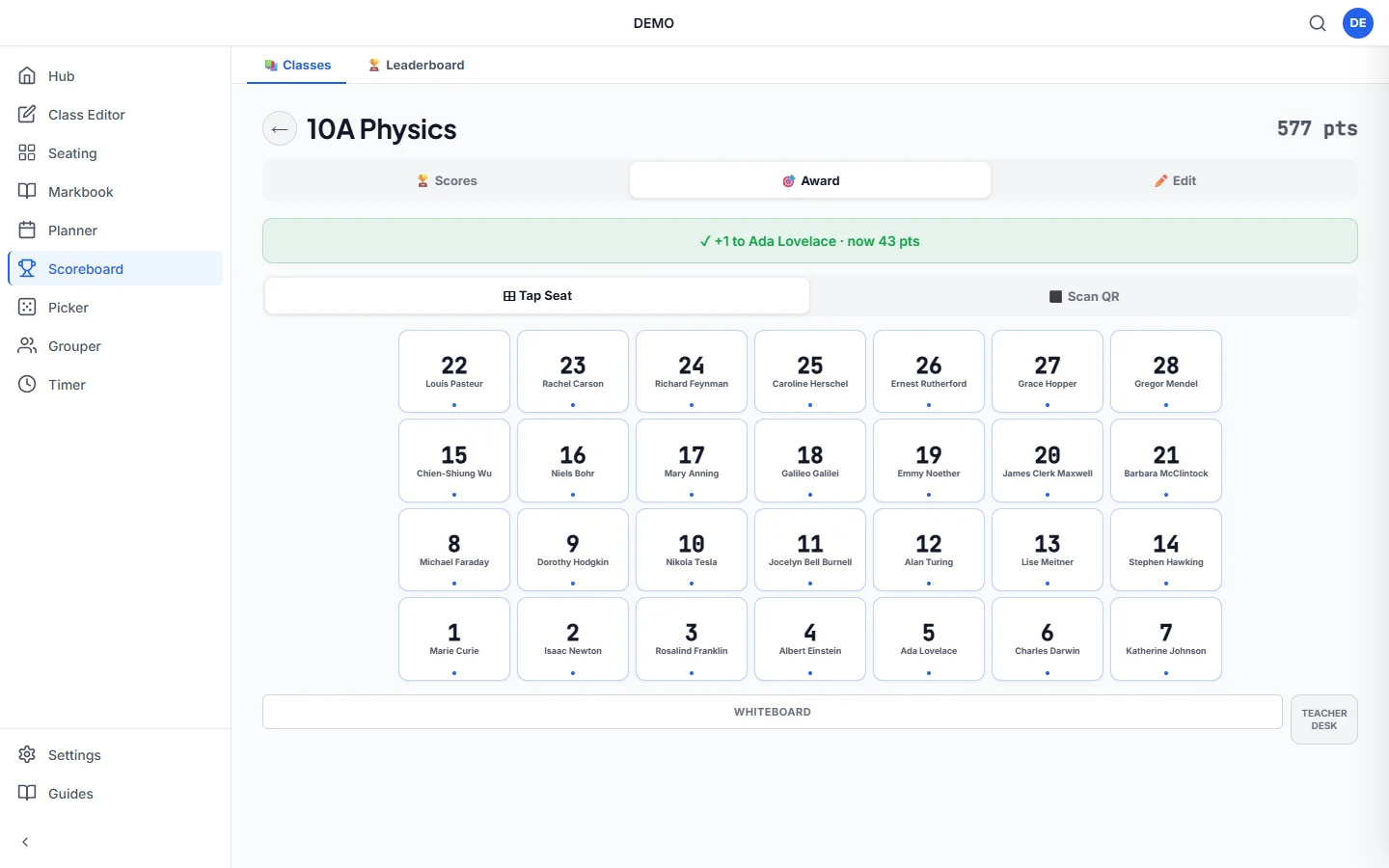
At your desk? The Award tab shows your class on its seating plan. Tap a desk to give that pupil a point, with no cards needed.
Live leaderboard
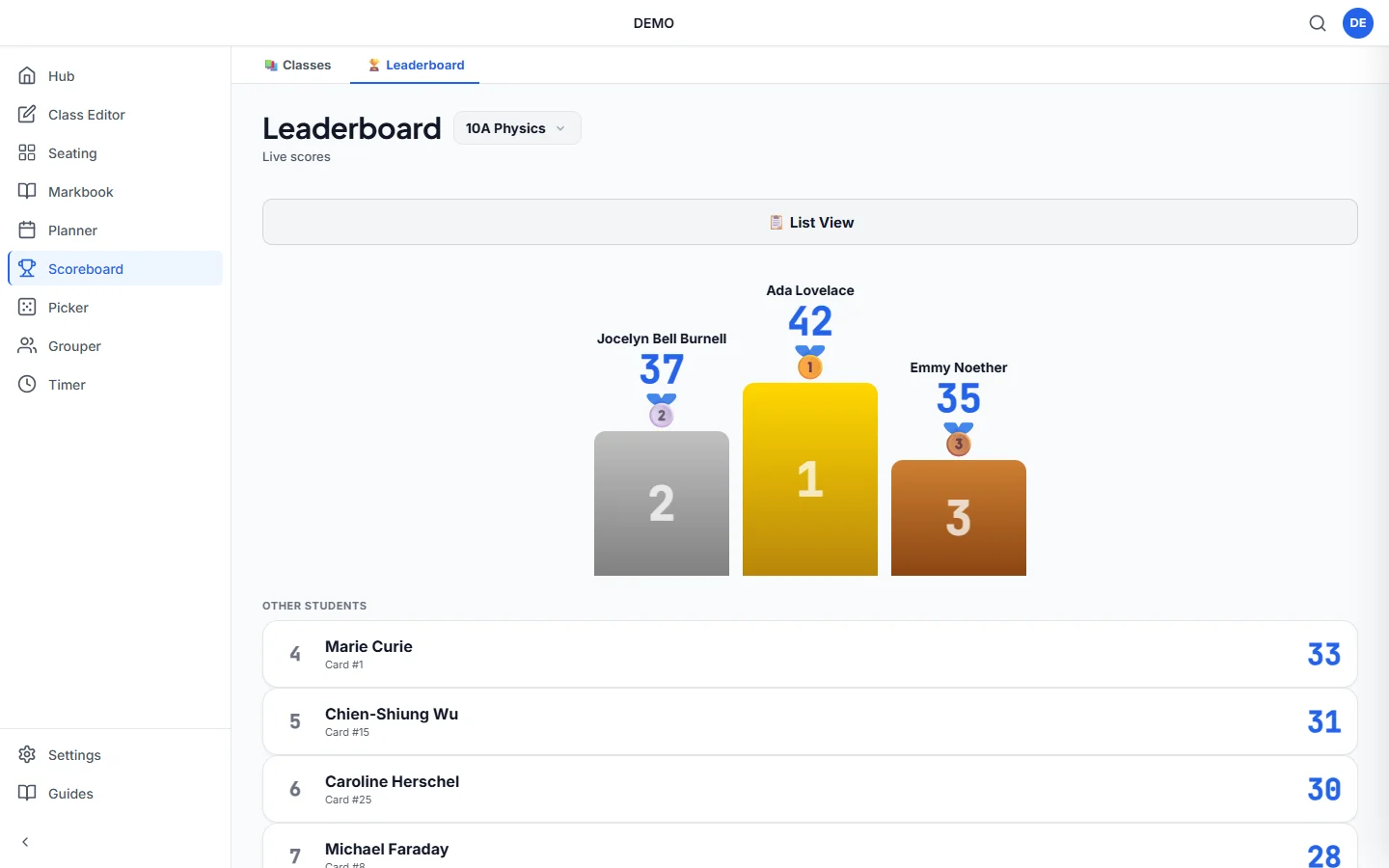
Project the scores to the class as they change. Switch to the podium view to celebrate the top three.
Adjust or reset
Correct a score, set points to an exact total, or reset the class to zero for a new term.
Share with colleagues
Give a co-teacher a share code for one class so you both add points to the same scoreboard.
How it works
Set up your class
Import from Google Classroom or paste names. Each pupil is linked to a card number and a desk.
Print the cards
Print the QR cards and stick them on desks or hand them out. This is optional if you only give points from the seating plan.
Give points and celebrate
Scan a card or tap a desk during the lesson, then show the leaderboard or podium.
Two ways to give points
Most points systems mean going back to the computer, finding the pupil in a list and clicking. With Kredits you can point your phone at a desk as you walk past, so you reward good work the moment you see it.
When you're at the front, open the Award tab instead. Your class appears on its seating plan, so you tap the desk rather than searching for a name. A confirmation shows who got the point and their new total.
Only your device needs Kredits. Pupils don't need phones, tablets or accounts.
Questions teachers ask
Is the points scoreboard free?
Yes. Scoreboard is one of the free Kredits tools, with no trial period and no card details.
Can I give points from my desk?
Yes. The Award tab shows your class on its seating plan. Tap Seat lets you tap a pupil's desk to give them a point, and Scan QR switches to the camera.
Can I give points from the random name picker?
Yes. When the random name picker lands on a pupil, you can give them points straight away and they go on the same scoreboard.
Do pupils need a device?
No. You scan the cards or tap the seating plan, so only your phone, tablet or laptop is needed.
Can more than one teacher give points to a class?
Yes. Share a class with a colleague using a share code. It gives them access to that class only.
Can I reset points at the end of term?
Yes. You can reset every pupil's points to zero, or set an individual pupil's total by hand.
More free Kredits tools
Set up a class once and use it in every tool.