Classroom timer you control from your phone
Put a countdown on the board, then walk round the room. Pause it, restart it or add a minute from your phone without going back to your desk.
No install · sign in with Google Classroom or a teacher code
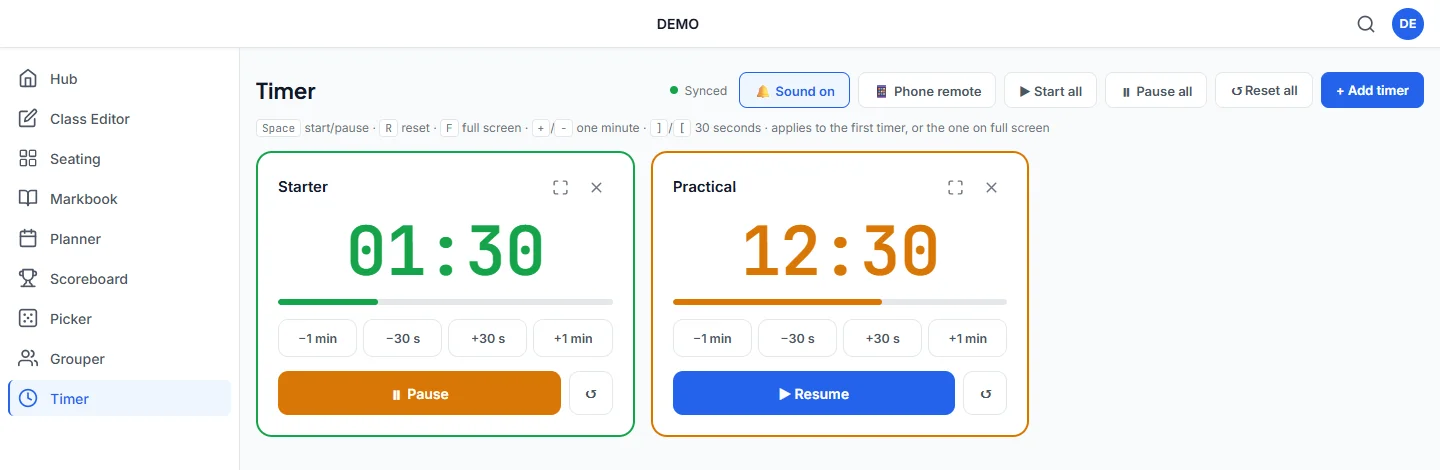
A timer built for teaching
For timed tasks, practicals, tidy-up time and everything else in between.
Control it from your phone
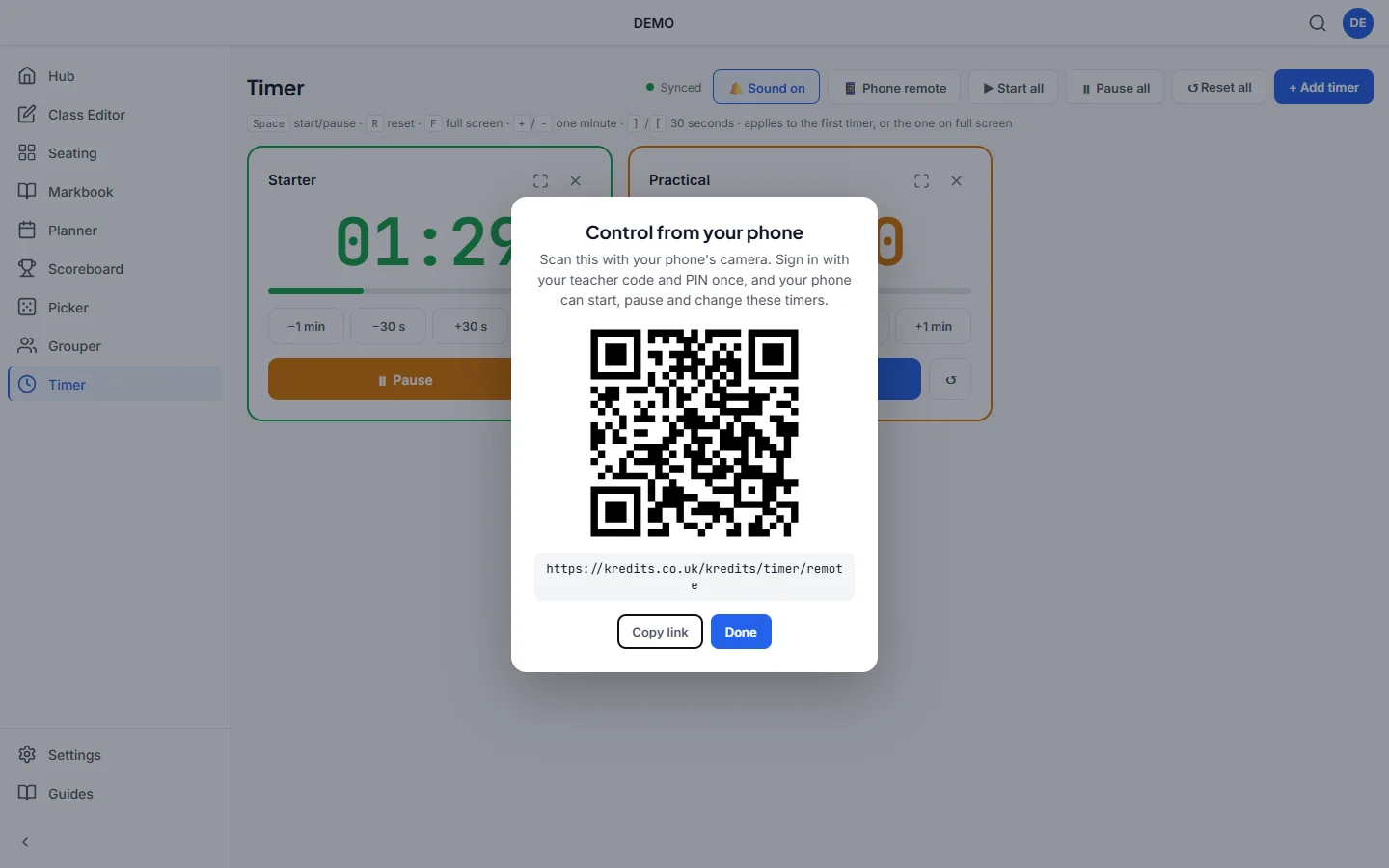
Scan the QR code on screen with your phone to open the remote. Pause, resume or add time from anywhere in the room.
Quick presets
Start a timer in one tap with presets from 30 seconds to 30 minutes.
Several timers at once
Run more than one countdown at a time, for example one for each group or practical station.
Stays in sync
Open it on the board and on your laptop and both show the same time, because timers sync through your Kredits account.
Clear time's-up alert
A time's-up alert, with sound if you want it, tells the class when to stop.
Keeps going in the background
Switch to your slides and the timer keeps counting, so the alarm still goes off on time.
How it works
Open Timer on the board
Sign in and add a timer, or tap a preset.
Scan the QR code
Point your phone at the code on screen to open the remote. There's no app to install.
Teach
Start, pause or add time from your phone while you move round the room.
Why a phone remote matters
The best time to be at the front of the room is rarely when a timer needs attention. With the phone remote, you can stay with the group that needs you and still pause or extend the countdown on the board.
Questions teachers ask
Is the classroom timer free?
Yes. Timer is one of the free Kredits tools, with no trial period and no card details.
Do I need to install an app on my phone?
No. The remote opens in your phone's web browser when you scan the QR code. You sign in with your teacher code and PIN.
Will the alarm go off if I switch to another tab?
Yes. The timer keeps counting when you switch to your slides or another tab, so it still goes off on time.
Can I run more than one timer?
Yes. Add as many timers as you need. Each one has its own countdown and controls.
More free Kredits tools
Set up a class once and use it in every tool.